
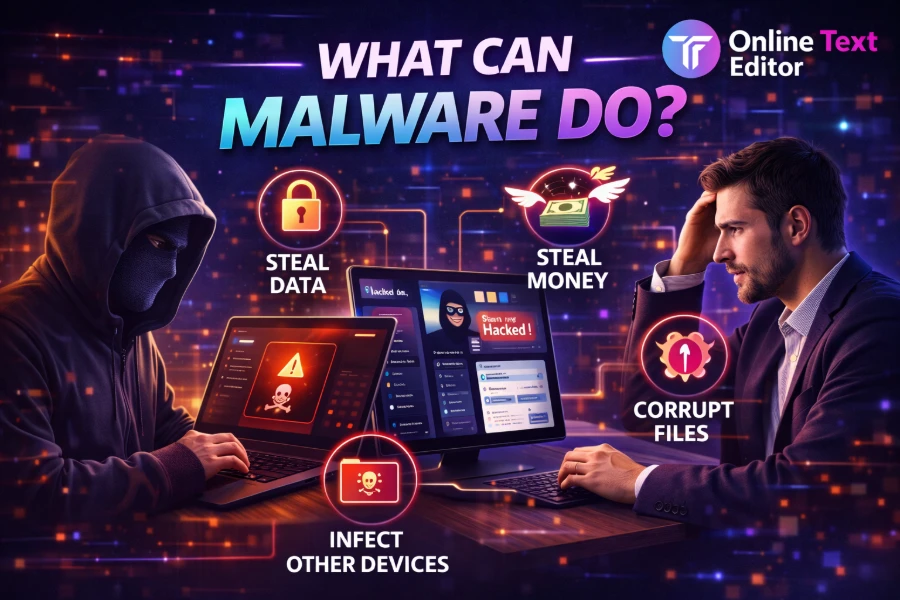
Malware is more than just an annoying computer issue, it is a serious digital threat that can quietly damage your devices, steal sensitive data, and disrupt your daily life. You may not even notice it at first, but its impact can escalate quickly if left unchecked. Understanding what malware can do helps you stay ahead and protect your systems effectively.
This guide breaks down everything you need to know in simple, practical terms so you can recognize risks early and avoid costly mistakes. Keep reading to learn how malware works, what damage it causes, and how to defend yourself confidently.
How Malware Infects Your Devices
Malware often enters your system through everyday actions that seem harmless at first glance. You might click a suspicious link, download a file, or open an email attachment without realizing it contains hidden threats.
When you work with digital content, using tools like the free online text editor helps you safely handle and review text files before opening unknown attachments, reducing exposure to malicious code. This small habit can significantly reduce your risk of infection.
Attackers also use compromised websites, fake apps, and outdated software vulnerabilities to gain access to your device. Once inside, malware can begin operating silently in the background, making it difficult to detect immediately.
Malware Can Steal Your Personal Data
One of the most dangerous things malware can do is steal your sensitive information. This includes login credentials, financial details, personal messages, and even identity-related data.
Cybercriminals use spyware and keyloggers to monitor your activity and capture everything you type. Once collected, your information may be sold, used for fraud, or exploited for identity theft.
You might not notice anything unusual at first, but over time, unauthorized transactions or account breaches can reveal the damage. This is why protecting your data should always be a top priority.
Malware Can Damage Your System Performance
Malware does not always aim to steal data, sometimes its goal is to disrupt your device’s functionality. It can slow down your system, cause crashes, or consume excessive resources.
When managing text files and system operations, understanding how tools work, such as what is a text editor, helps you differentiate between normal software behavior and unusual activity caused by malicious programs. This awareness allows you to detect early warning signs.
You may notice your device freezing, overheating, or running unusually slow, which often signals hidden malware processes. Ignoring these signs can lead to more severe system damage over time.
Malware Can Lock Your Files And Demand Payment
Ransomware is one of the most aggressive types of malware you can encounter. It encrypts your files and demands payment in exchange for restoring access.
Understanding how to handle and manage text files, especially when learning how to copy text from browser, can help you maintain backups and avoid losing critical data permanently. Having copies of your important files reduces the impact of ransomware attacks.
Victims often feel pressured to pay, but there is no guarantee that attackers will restore access. This makes prevention and backup strategies essential.
Malware Can Spy On Your Activities
Certain types of malware are designed specifically for surveillance. They can monitor your browsing habits, track your location, and record your online interactions.
This information is often used for targeted attacks or sold to third parties without your consent. Even your private conversations can be exposed.
You may not see obvious signs, but unusual behavior such as unexpected pop-ups or changes in browser settings can indicate spying malware. Staying alert helps you catch these threats early.
Malware Can Spread Across Networks
Malware does not always stay confined to one device. Worms and other self-propagating threats can spread across networks, infecting multiple systems quickly.
This is especially dangerous in workplaces or shared environments where one compromised device can affect others. The spread can happen without user interaction, making it harder to control.
Once multiple devices are infected, recovery becomes more complex and costly. Preventing the initial infection is always easier than managing a widespread outbreak.
Malware Can Give Hackers Remote Control
Some malware provides attackers with full control over your device. This allows them to access files, install additional threats, and manipulate system settings remotely.
Hackers can use your device for illegal activities without your knowledge. This includes sending spam, launching attacks, or mining cryptocurrency.
Losing control of your system is one of the most serious consequences of malware. It turns your device into a tool for cybercrime.
Malware Can Destroy Or Corrupt Files
Certain malware types are designed to damage or delete files permanently. This can result in loss of important documents, photos, or business data.
File corruption may not always be obvious immediately, but over time, you may notice files becoming inaccessible or unusable. This can disrupt both personal and professional activities.
Regular backups and secure storage practices can help reduce the impact of such attacks. Prevention remains your strongest defense.
Malware Can Disrupt Your Internet Experience
Malware can interfere with your browsing experience by redirecting you to malicious websites or flooding your screen with ads. This not only affects usability but also increases the risk of further infections.
Adware and browser hijackers are common examples of this behavior. They manipulate your settings to control your online activity.
These disruptions can make it difficult to use your device effectively. Removing the malware restores normal functionality.
Malware Can Exploit System Vulnerabilities
Malware often takes advantage of outdated software or weak security settings. Attackers look for vulnerabilities they can exploit to gain access.
Keeping your system updated reduces these risks significantly. Security patches are designed to fix known weaknesses.
Ignoring updates leaves your device exposed to preventable threats. Staying proactive helps you maintain strong protection.
Malware Can Target Mobile And IoT Devices
Modern malware is no longer limited to computers. It can also target smartphones, tablets, and even smart home devices.
As more devices connect to the internet, the attack surface continues to expand. This increases the risk of infection across multiple platforms.
Securing all your connected devices is essential for complete protection. A single vulnerable device can compromise your entire network.
Signs Your Device May Be Infected
Recognizing the signs of malware early can help you minimize damage. Common indicators include slow performance, unexpected crashes, and unusual pop-ups.
Other signs include unauthorized account activity or unknown programs running in the background. These symptoms should not be ignored.
Taking immediate action when you notice these signs can prevent further complications. Early detection is key to effective recovery.
How To Protect Yourself From Malware
Protecting your device requires a combination of awareness and proactive measures. Simple habits can make a significant difference.
- Keep your software updated regularly
- Use trusted security tools
- Avoid suspicious links and downloads
- Back up your data frequently
- Use strong, unique passwords
These steps reduce your exposure to threats and improve your overall digital safety.
Conclusion
Malware can do far more than slow down your device, it can steal your data, lock your files, spy on your activity, and even give hackers complete control over your system. The risks are real, but they are also manageable when you understand how malware works and take the right precautions. By staying informed and practicing safe digital habits, you can protect your devices, your data, and your peace of mind.
The key is to act before problems arise, not after damage is done. Stay alert, stay updated, and make security a daily priority in your digital life.
FAQs
What can malware do to your computer and personal data?
Malware can steal sensitive information, monitor your activity, corrupt files, and slow down your system. It may also give hackers remote access to your device, leading to identity theft, financial loss, or unauthorized control of your digital environment.
How does malware affect system performance and speed?
Malware consumes system resources by running hidden processes in the background. This can cause slow performance, frequent crashes, overheating, and unresponsive applications, making everyday tasks frustrating while reducing your device’s overall efficiency and lifespan significantly.
Can malware steal passwords and financial information?
Yes, malware such as keyloggers and spyware can capture passwords, banking details, and credit card information. This stolen data is often used for fraud or sold on the dark web, putting your financial security and personal identity at serious risk.
What types of damage can ransomware cause to files?
Ransomware encrypts your files and prevents access until a payment is made. It can lock important documents, photos, and business data, causing significant disruption, financial loss, and stress, especially if no backup exists to restore the affected files.
How does malware spread from one device to another?
Malware spreads through email attachments, malicious links, infected downloads, and network vulnerabilities. Some types, like worms, can self-replicate and spread automatically across connected devices, making them especially dangerous in shared networks or organizational environments with multiple systems.
Can malware spy on your online activities?
Yes, spyware malware can track your browsing habits, record keystrokes, and monitor your communications. This allows attackers to collect private information, observe behavior patterns, and exploit sensitive data without your knowledge or visible signs of intrusion on your device.
What are the warning signs of a malware infection?
Common signs include slow performance, unexpected pop-ups, frequent crashes, and unfamiliar programs running. You may also notice changes in browser settings, unauthorized account activity, or unusual data usage, all of which can indicate malware presence on your system.
Can malware give hackers full control of your device?
Yes, certain malware like remote access Trojans allows hackers to control your device remotely. They can access files, install additional threats, monitor activity, and use your system for malicious purposes without your awareness or direct involvement.
Does malware only affect computers or other devices too?
Malware can affect computers, smartphones, tablets, and even smart home devices. As more devices connect to the internet, attackers target multiple platforms, making it essential to secure all connected devices to prevent widespread infection across your digital ecosystem.
How can you protect your device from malware attacks?
You can protect your device by updating software regularly, using antivirus tools, avoiding suspicious links, and backing up data. Practicing safe browsing habits and using strong passwords also helps reduce the risk of malware infections significantly over time.