
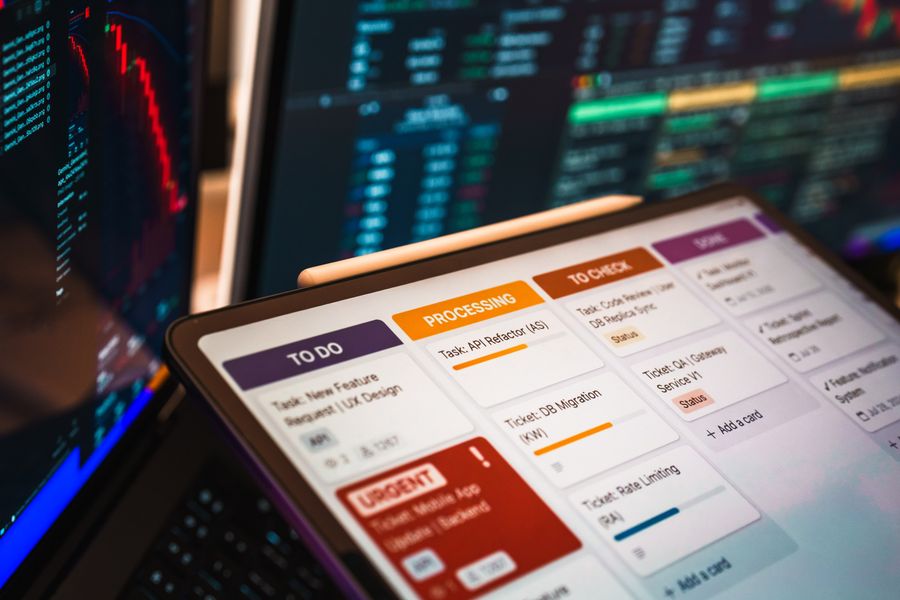
Most businesses do not have a shortage of software. They have a shortage of smooth workflows.
A customer fills out a form. Someone copies the information into a CRM. Another employee checks whether the request is complete. A manager reviews it. An email gets sent. A spreadsheet gets updated. A follow-up task is created. If anything unusual happens, the process stops while someone figures out what to do next.
Traditional automation can remove some of these repetitive steps, but it works best when the process follows predictable rules. Artificial intelligence changes that equation.
AI workflow automation is the use of artificial intelligence together with automation technology to understand information, make context-aware decisions, trigger actions, and move multi-step business processes forward with less manual intervention. Instead of automating only predictable clicks and data transfers, AI can help a workflow interpret emails, classify documents, summarize information, prioritize requests, generate responses, and determine what should happen next.
That does not mean humans disappear from the process. In fact, some of the strongest AI workflows deliberately include human checkpoints. A company may automate data collection and analysis but use approval workflow automation to route important decisions to the appropriate person before the system continues.
The result is not simply faster task completion. It is a workflow that can handle more of the thinking, routing, and coordination that previously required constant human attention.
What Is AI Workflow Automation in Simple Terms?
Think about a normal business workflow as a chain of events.
Something happens.
Information comes in.
Someone reviews it.
A decision gets made.
An action follows.
The result gets recorded.
Traditional workflow automation can handle that sequence when every step has a clear rule. For example:
When a customer submits Form A → create Contact B → send Email C → notify Employee D.
That type of automation is extremely useful, but it does not understand what the customer actually wrote.
AI adds an interpretation layer.
Now the workflow might look like this:
Customer sends a message → AI identifies the request → AI extracts important information → system checks business rules → AI recommends the next action → high-risk cases go to a human → approved action is completed automatically.
The difference is important.
Traditional automation mainly asks:
“Did X happen?”
AI-enabled automation can also ask:
“What does X mean, and what should happen because of it?”
That ability to work with context and unstructured information is one of the biggest reasons AI is expanding what businesses can automate. Modern AI automation can complement rule-based technologies by handling information such as documents, messages, and other inputs that do not arrive in perfectly structured fields.
How Does AI Workflow Automation Work?
AI workflow automation may sound complex, but most systems can be understood through five basic stages.
1. A Trigger Starts the Workflow
Every workflow needs a starting event.
The trigger could be:
- A customer submitting a form
- An invoice arriving by email
- A sales lead entering a CRM
- A support ticket being opened
- An employee requesting leave
- A contract being uploaded
- An order reaching a certain status
At this stage, traditional and AI-powered automation look fairly similar.
The major difference appears after the information enters the workflow.
2. AI Understands the Input
Business information is often messy.
Customers write questions differently. Documents use different layouts. Employees describe the same problem using different language.
Fixed automation rules struggle with that variability.
AI can analyze the input and turn it into something the workflow can use.
For example, an AI system might examine an incoming support email and identify:
- What the customer is asking about
- Which product they use
- Whether the message sounds urgent
- Whether an order number is included
- Which department should respond
- Whether the message needs human attention
The workflow no longer depends entirely on someone reading every incoming request.
3. The Workflow Applies Rules and Decisions
AI does not need to control every decision.
A well-designed system usually combines AI interpretation with business rules.
Imagine a purchase request.
AI may read the request, identify the product, extract the amount, determine the department, and summarize the reason for the purchase.
The workflow rules may then say:
Under $500 → route to team lead.
$500–$5,000 → route to department manager.
Over $5,000 → route to finance.
Unusual request → flag for manual review.
This combination is powerful because AI handles ambiguity while predictable rules maintain control.
4. The System Takes Action
Once the workflow knows what should happen, automation carries out the next steps.
Depending on the process, it might:
- Update a CRM record
- Generate a document
- Create a task
- Send an email
- Notify a manager
- Add information to a database
- Assign a support ticket
- Schedule a follow-up
- Request an approval
- Call another application through an API
The workflow may continue across several tools without requiring an employee to manually move information from one system to another.
5. Exceptions Go to Humans
This is one of the most important parts of good AI workflow design.
Businesses should not assume that everything AI can process should be fully automated.
Some situations require judgment, accountability, empathy, legal review, financial authority, or simply a second pair of eyes.
High-value AI workflows therefore include escalation points.
The system handles routine work automatically and sends unusual, sensitive, expensive, or uncertain cases to a person.
That creates a practical balance between automation and control.
AI Workflow Automation vs. Traditional Workflow Automation
Traditional workflow automation is not obsolete. In many cases, it is exactly what a business needs.
The difference is primarily the type of problem each approach can handle.
Traditional automation works especially well with structured, predictable situations.
For example:
If invoice status = paid → send receipt.
AI workflow automation becomes useful when understanding is required:
Read the invoice → identify supplier and amount → compare it with purchase information → detect possible inconsistencies → decide whether it can proceed or needs review.
Traditional automation follows predefined logic.
AI can help interpret variable inputs before that logic is applied.
Another difference is flexibility.
If a traditional workflow expects a particular phrase, document field, or format, unexpected input can break the process.
AI systems can often interpret different ways of expressing the same underlying meaning.
That does not automatically make AI better.
The best question is not:
“Can we put AI into this workflow?”
It is:
“Which steps require interpretation, and which steps should remain deterministic?”
Use rules where rules are enough.
Use AI where understanding creates meaningful value.
Where AI Workflow Automation Is Most Useful
The strongest AI automation opportunities usually share a few characteristics.
The process happens frequently.
Employees repeatedly interpret similar information.
Multiple systems are involved.
There are predictable actions after the interpretation.
And manual coordination slows everything down.
Here are several practical examples.
Customer Support
A company receives hundreds or thousands of messages containing different questions.
AI can classify each message, determine intent, detect urgency, retrieve related information, summarize the issue, suggest a response, and route the ticket appropriately.
Simple questions may move through automatically.
Complex or sensitive conversations can be sent to an employee.
That allows support teams to concentrate human attention where it matters most.
Sales Lead Management
Not every lead deserves the same follow-up.
An AI-enabled workflow can analyze information from forms, emails, CRM records, or previous interactions.
It could identify buying intent, categorize the company, summarize requirements, assign a lead score, select an appropriate sales representative, and prepare a personalized follow-up.
Instead of simply collecting leads, the workflow helps organize what happens after they arrive.
Invoice and Document Processing
Documents are an obvious automation challenge because information may appear in different formats.
An intelligent workflow can extract important fields, categorize the document, compare information with existing records, identify missing data, and route exceptions for review.
The automation then handles predictable downstream actions.
Employee Onboarding
Onboarding involves many small but connected activities.
Accounts need to be created.
Documents need to be collected.
Managers need notifications.
Training needs to be assigned.
Internal systems need updating.
AI can help interpret employee information or documentation while traditional automation coordinates the predictable operational steps.
Internal Requests and Approvals
Purchase requests, access requests, expense claims, leave requests, content approvals, and contract reviews frequently become bottlenecks because they depend on people manually deciding where something should go.
AI can understand the request and provide useful context before the appropriate reviewer receives it.
The decision remains controlled, but the administration around that decision becomes much faster.
What Are the Benefits of AI Workflow Automation?
The obvious benefit is saving time, but stopping there misses most of the value.
Less Repetitive Work
Many employees spend significant portions of their day transferring information rather than creating value.
They copy details between systems, categorize requests, prepare summaries, search for context, and send routine updates.
Automating those steps gives people more time for decisions, relationships, creative work, and difficult problems.
Faster Processes
A workflow does not need to sit in someone’s inbox waiting for them to notice it.
Routine steps can happen as soon as the required information becomes available.
That can shorten response times across sales, support, finance, operations, HR, and other departments.
More Consistent Execution
Manual processes often depend on who happens to perform them.
One employee may categorize something differently from another.
One person may forget a step.
Another may use an outdated template.
Automation creates a repeatable structure around the process.
AI introduces flexibility without necessarily abandoning those controls.
Better Use of Business Information
Companies already possess large amounts of useful information inside emails, documents, support conversations, notes, and internal systems.
The problem is that much of it is difficult to use automatically.
AI can make that unstructured information accessible to workflows.
Instead of data simply sitting inside a message, it can influence what the system does next.
Easier Scaling
When transaction volume increases, manual workflows require more human effort.
Automation changes that relationship.
A company may be able to process significantly more requests without increasing administrative work at the same rate.
That is particularly valuable for growing organizations experiencing increasing volumes of leads, documents, customers, or internal requests.
What AI Workflow Automation Should Not Do
The excitement around AI sometimes creates the impression that maximum automation is the goal.
It should not be.
The goal is to create a better process.
A workflow that automatically makes unreliable decisions faster is not an improvement.
Organizations should be especially cautious when workflows involve:
- Large financial commitments
- Legal consequences
- Sensitive customer situations
- Employee disciplinary decisions
- Security permissions
- Highly confidential information
- Safety-critical actions
Human oversight remains important in higher-risk applications, and current discussions around AI agents similarly emphasize the need for boundaries and review rather than unrestricted autonomy.
A useful design principle is:
Automate preparation before automating authority.
Let AI collect information.
Let it classify documents.
Let it summarize the situation.
Let it identify anomalies.
Let it recommend an action.
Then decide whether the actual decision should happen automatically or require human approval.
That approach captures much of the efficiency while reducing unnecessary risk.
AI Workflows, AI Agents, and the Future of Automation
AI workflow automation is also evolving toward more agentic systems.
A traditional automated workflow usually follows an expected path.
More advanced AI agents can potentially reason about a goal, decide which actions to take, use multiple tools, evaluate results, and adjust their next step.
That makes them useful for processes that are difficult to express as a rigid sequence of conditions.
However, AI agents and AI workflows are not the same thing.
An agent can operate inside a workflow.
The workflow provides the broader structure: triggers, permissions, business rules, integrations, review points, records, and desired outcomes. The agent may handle one or several intelligent tasks within that structure. For businesses that want to offer these capabilities under their own brand, a White label AI agent platform can provide the underlying infrastructure for building and deploying agents within structured workflows.
Current automation platforms increasingly distinguish these more dynamic agentic workflows from fixed rule-based automation.
For businesses, that distinction matters.
The future is unlikely to consist entirely of autonomous AI systems freely making every decision.
A more realistic model is a combination of:
AI for understanding.
Automation for execution.
Rules for control.
Humans for judgment.
That combination can produce workflows that are both intelligent and dependable.
Final Thoughts
So, what is AI workflow automation?
At its core, it is the combination of artificial intelligence and workflow technology to help business processes understand information, make or support decisions, trigger actions, and move work between systems with less manual effort.
The important word is not simply automation.
It is workflow.
Automating an isolated task might save someone thirty seconds. Improving an entire workflow can remove bottlenecks between departments, reduce repetitive administration, shorten response times, and make information easier to act on.
But successful AI workflow automation is not about removing humans from every process.
It is about putting human attention in the right places.
Let software handle predictable movement.
Let AI interpret complicated information.
Let business rules create boundaries.
And let people remain responsible for the decisions where context, accountability, and judgment matter most.
That is when AI moves beyond being another productivity tool and becomes part of how work actually gets done.